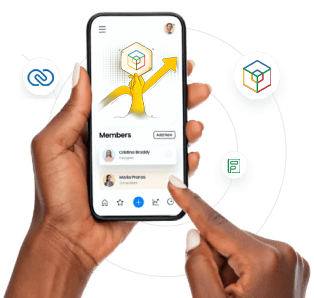
Develop Your Own Application with Drag-and-Drop in Zoho Creator
You Can Build Your Own Digital Solution Even Without Coding Knowledge
Introduction: If There Isn’t an App for Every Need, Why Not Build It Yourself?
There are thousands of applications on the market, but isn’t none of them designed to perfectly fit your business model?
You’re tired of getting lost among standard software and want a system tailored to your business, but you don’t know software development…
Then what you need is: No-code application development.
Here’s where one of the strongest tools comes into play: Zoho Creator.
With Zoho Creator, you can build your own application using the drag-and-drop method, even without technical knowledge.
What is Zoho Creator?
Zoho Creator is a no-code / low-code platform that allows businesses or individuals to build their own custom business applications with no software knowledge.
Users can develop forms, tables, charts, approval processes, and even mobile applications through Creator.
Zoho Creator = Drag-and-drop + Set conditions + Automation + Integration
What Applications Can You Develop?
| Application Type | Description |
| Quote Management | Automatic pricing with product + customer selection, PDF output |
| Inventory Tracking System | Warehouse entry-exit tracking, barcode integration |
| Project Tracking Application | Task assignment, progress percentage, team-based monitoring |
| Visitor Registration System | Reception automation, access with QR code |
| Survey and Data Collection | Data collection forms for external customers or field staff |
| Leave and Payroll Tracking | Employee entries, payroll calculation |
| Appointment and Registration | Online form filling + approval + notification process |
Advantages of Developing Apps with Drag-and-Drop
✅ No Coding Knowledge Required
You create your application by dragging ready-made fields to the form screen.
You visually set properties such as data type, required field, validation.
✅ Real-Time Reporting
You can turn the data inside the application into charts, pivot tables, and custom reports.
✅ Email, WhatsApp, Slack Notifications
When a form is filled or certain conditions occur, you can set up automatic notification systems.
✅ Mobile-Friendly
The applications you develop work on both desktop and mobile devices.
They can even be used in offline mode.
Zoho Creator vs. Classic Software Development
| Feature | Classic Software Development | Zoho Creator |
| Development Time | Weeks / Months | Hours / Days |
| Technical Knowledge Requirement | High | Low |
| Cost | High (developer, testing, maintenance) | Low (all tools included with a single license) |
| Integration | Requires external software | Compatible with Zoho CRM, Books, Desk, Flow |
Integrated and Automated: Build Connected Systems with Zoho Creator
- Start a process for a customer created in Zoho CRM
- Analyze data collected via Creator in Zoho Analytics
- Create invoices automatically with Zoho Books
- Send data to other apps with Zoho Flow
- Integrate with third-party systems via API support (ERP, PBX, e-signature, etc.)
Use Case: Clinic Patient Registration System
Goal: Collect patient records, track process steps, manage appointments.
Zoho Creator Solution:
- Patient registration form (name, complaint, date, procedure)
- Approval process (doctor, consultant)
- Automatic email notification
- Create a linked record in CRM
- Dashboard: How many patients came, what procedures were done, total revenue
The system set up in 2 days automated 20 hours of manual work per month.
Conclusion: Build Your Own Application Yourself
Zoho Creator allows you to set up digital and fully automated systems tailored to your business.
Don’t settle for standard software; create your own custom solution.
- 📋 Forms
- 📊 Reports
- 🔄 Automations
- 📱 Mobile Application
- 🔗 Integration with Zoho CRM and other applications
True digital transformation starts with a system that works specifically for you.
Take Action:
✅ You can get a free demo design for your first application
✅ Let’s create a custom application roadmap for your company
✅ Get personalized Creator consulting and training support